

Streamsteady for X Spaces
Your Space’s control booth.
A Chrome extension for the hosts, co-hosts and regulars who run X Spaces. Your Space stays on X; you run it from here.
Free · Chrome on desktop
The problem
X’s pop-out opens a blank window.
Your speakers and your controls are gone. Streamsteady replaces it with a player that works.
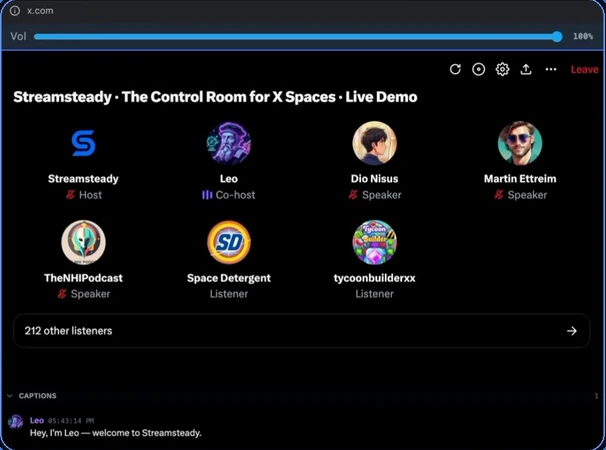
What’s in the booth
Built for the people who stay all night.
Everything runs on top of x.com. Host controls press X’s own buttons, so the Space behaves the way X expects.
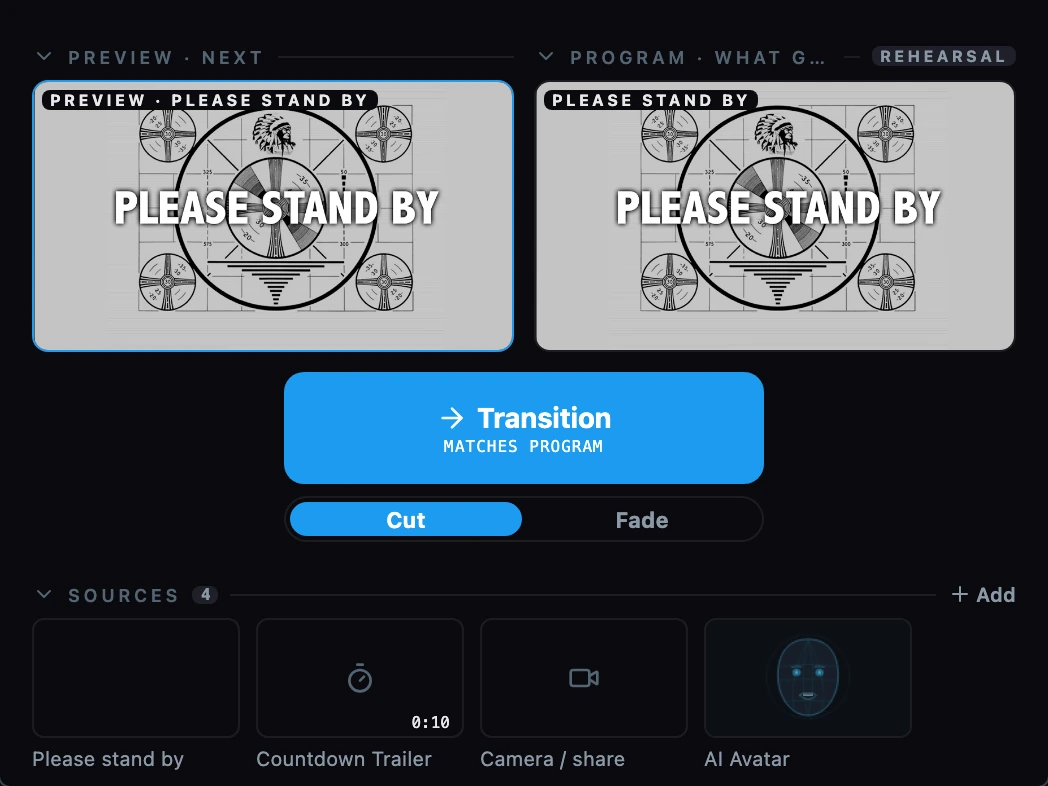 Stream Studio · video Spaces
Run the video like a broadcast.
Preview, then Transition. Camera, clips, a countdown, a ticker and a watermark, applied to what you broadcast and nothing else.
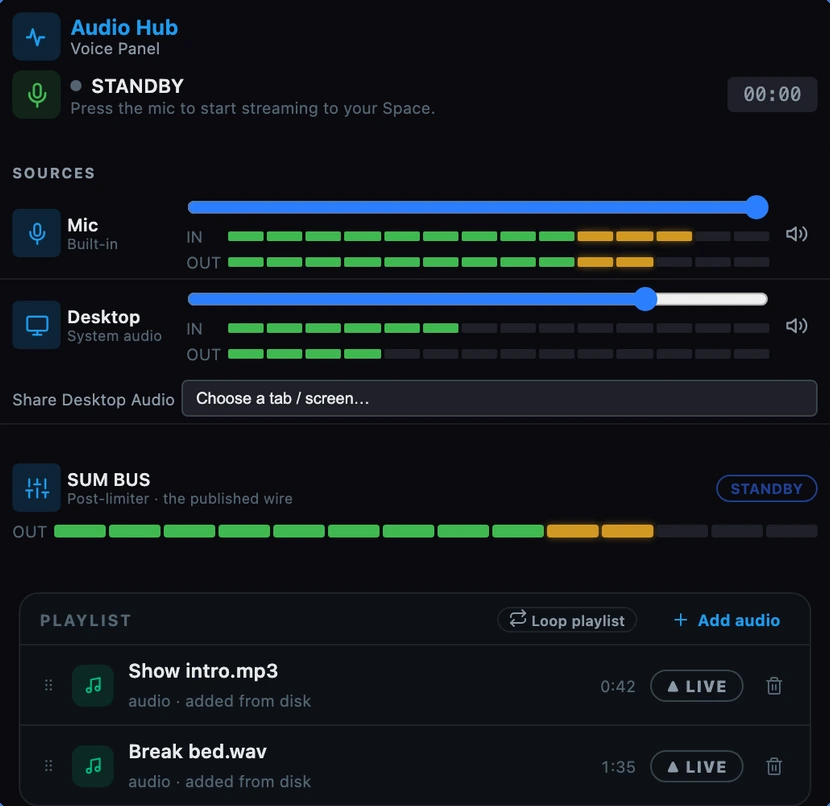 Audio Hub
Your mic, with real meters.
Levels you can see on the way in and on the way out, a limiter, and intros or clips you play into the Space when you’re on the mic.
 AI Avatar
A face for your video, without a camera.
A lip-synced avatar that talks with your mix, beside your camera, live in the Space.
Also in Streamsteady
Live on X
Every live Space in one list, with the hosts you pin first.
Recording
X’s audio, the roster, reactions and captions on one timeline. Download MP4 or audio, or post a clip.
Reminders
Set a reminder on any scheduled Space and see what’s coming up on a calendar.
Sound Board
Play sounds into the Space while you’re on the mic.
Stop Streamsteady audio
One button silences every player on the page. Your Space stays live.
Trust
What leaves your machine, and what never does.
Streamsteady runs in your browser. Anything that leaves it is listed here.
Never leaves
Not to us, not to anyone.
- Your X and Periscope cookiesThey only go back to x.com and Periscope.
- VideoCloud backup never uploads video.
- Your activityNo analytics, no ads, no tracking.
Only when you choose
Each of these waits for you.
- Cloud backupFinished recordings go to storage we operate, so you can open them anywhere. Off until you switch it on.
- Sign in with XYour X user ID, @handle, name and profile picture, so your cloud recordings stay yours.
- Pressing Stop Streamsteady audioSends one anonymous report so we can fix doubled audio. No account, no @handle, no Space, no audio.
Always
The one request every install makes.
- Feature settings at startupOne request for Streamsteady’s configuration file. No account and no identifier. Like any web request, it shows your IP address.
- No analytics
- No ads
- No tracking
Free on the Chrome Web Store
Run your next Space from the booth.
Free · Chrome on desktop